Turn character-based PDFs into spoken readings with a different voice for each speaker on iPhone, iPad, and Mac.
Download on the App Store
Upload a dialogue-based PDF, assign a voice to each speaker, and listen as every character is read aloud.
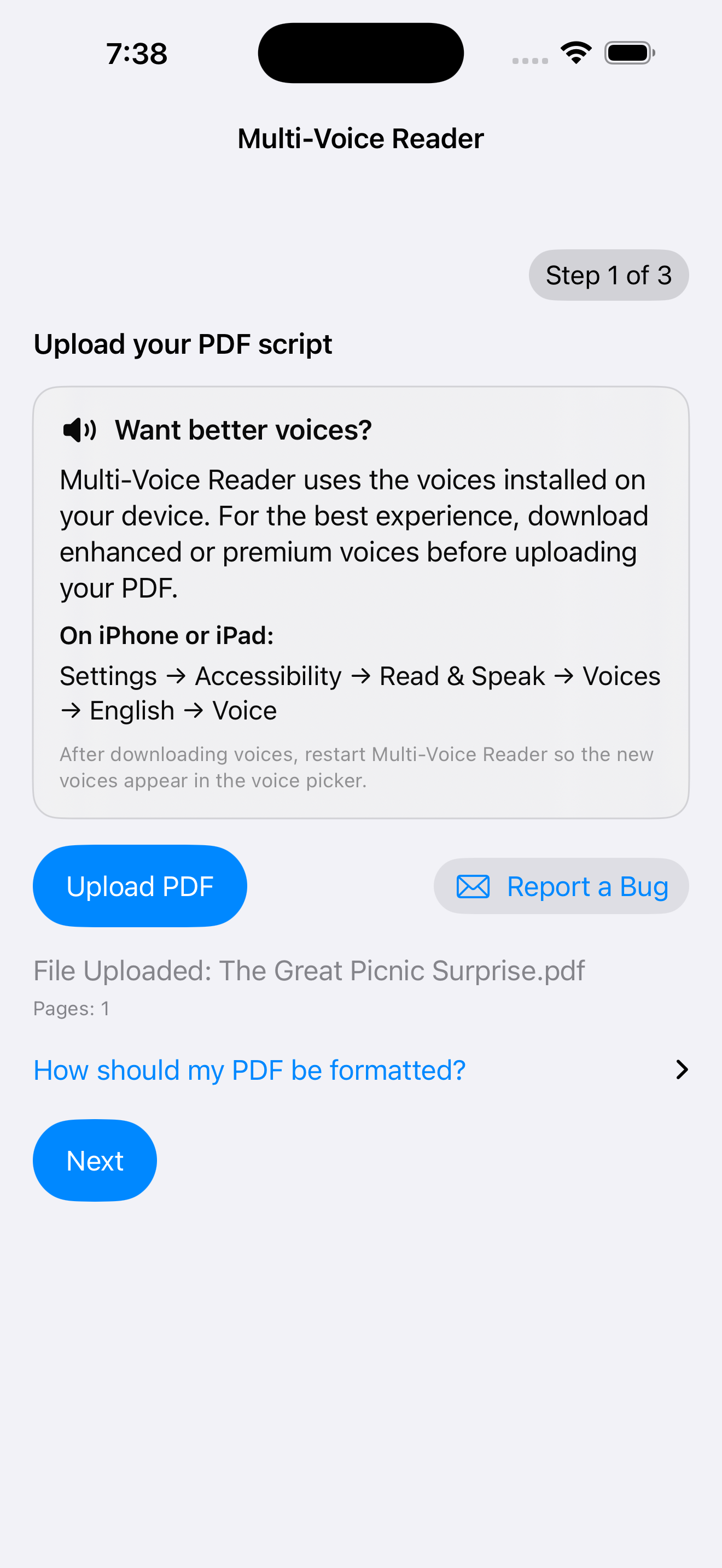
Choose a PDF containing selectable text. Each speaker’s name should appear before their dialogue, followed by a colon.

Enter each character’s name, then select and preview the Apple system voice that will read their dialogue.
Multi-Voice Reader identifies each speaker and reads the document aloud using the voices you selected.
Leo: Are you ready to go?
Maya: Almost. Give me five minutes.
Narrator: Leo looked toward the door.
Each name followed by a colon is treated as a separate speaker.
Whether you're writing, editing, studying, or simply enjoying a story, Multi-Voice Reader brings dialogue to life with distinct voices for each speaker.
Hear your dialogue performed aloud and discover conversations that feel awkward, repetitive, or unnatural before you share your work.
Assign a unique voice to each character to better evaluate pacing, personality, and the flow of conversations.
Preview scripts with multiple voices before recording with narrators or voice actors.
Practice conversations, language exercises, classroom dialogue, and presentations with separate voices for each speaker.
Prefer a single voice? Multi-Voice Reader also works as a traditional PDF reader by automatically using a single Reader voice.
Rehearse dialogue and experiment with different character voices before a live performance or recording.
Multi-Voice Reader works whether your PDF has a single narrator or an entire cast of characters. Choose one voice for traditional reading or assign a different Apple system voice to each speaker.
Choose one voice for articles, books, essays, and ordinary PDFs. The app automatically uses the name Reader and reads the entire document with that voice.
Assign a different voice to each speaker in dialogue, scripts, and stories. Narrators can have their own voice, and Pro supports up to 10 voices.
Multi-Voice Reader uses the speech voices installed on your iPhone, iPad, or Mac. The voices available in the app depend on the voices currently installed on your device.
Download additional voices in Settings → Accessibility → Read & Speak → Voices, then choose your language and select a voice to download. Installed voices automatically appear in Multi-Voice Reader.
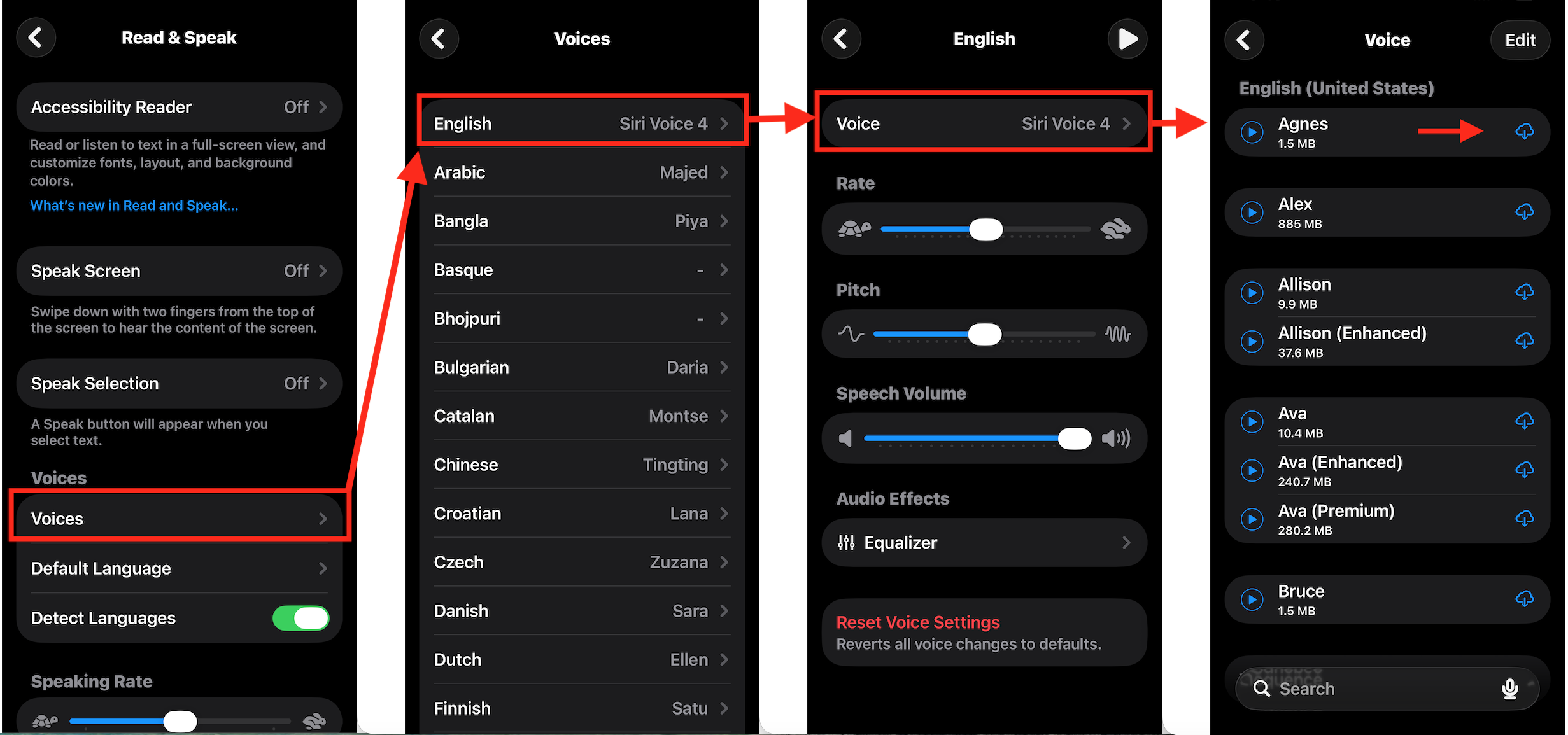
Open System Settings → Accessibility → Read & Speak → System Voice, then click the ⓘ button to view and download additional Apple speech voices. Installed voices automatically appear in Multi-Voice Reader.

Your PDFs stay on your device. Multi-Voice Reader uses Apple's built-in speech system. Your PDFs are processed locally on your device and are not uploaded to Precomind.
Start free with up to two voices, then unlock larger casts with Pro.
Find answers about PDF formatting, Apple voices, offline use, privacy, and the difference between Free and Pro.
Multi-Voice Reader works best with PDFs that contain selectable text. Dialogue should be formatted with each speaker's name followed by a colon, such as:
Emma: Hello there.
Narrator: Emma opened the old wooden door.
Yes. Choose one voice and Multi-Voice Reader automatically reads the entire document using a single reader named Reader. Character formatting is not required.
Yes. A narrator is treated like any other speaker and receives its own voice. For example, a story with one character and a narrator uses two voices.
Multi-Voice Reader uses Apple's built-in speech voices. The voices available in the app depend on which voices are installed on your iPhone, iPad, or Mac.
Yes. Apple provides additional voices that can be downloaded through your device's Accessibility settings. Once installed, they automatically become available for selection in Multi-Voice Reader.
No. Normal reading works entirely offline. An internet connection is only needed to download the app, install additional Apple voices, or receive app updates.
No. Your PDFs remain on your device during normal reading. Multi-Voice Reader does not upload your documents to Precomind's servers.
The free version supports up to 2 voices, making it perfect for one reader, two-character conversations, or a narrator plus one character. Pro expands support to 10 voices for larger casts and dialogue-heavy stories.
Only if the PDF contains selectable text. If your PDF is made up of scanned images, you'll need to use OCR (Optical Character Recognition) before importing it into Multi-Voice Reader.
Yes. Multi-Voice Reader provides the same core experience across all three Apple platforms. The interface adapts to each device while keeping the workflow consistent.
Multi-Voice Reader is just getting started. Future updates will continue to improve reliability, usability, and the reading experience based on feedback from writers, educators, and readers.
Every update will focus on making it easier to bring dialogue to life while keeping the experience simple, private, and built around Apple's platform.